learning
Chaos in the Kitchen: Why Paper Tickets Are Killing Your Speed

If you’ve ever worked a busy dinner service with paper tickets, you know the feeling:
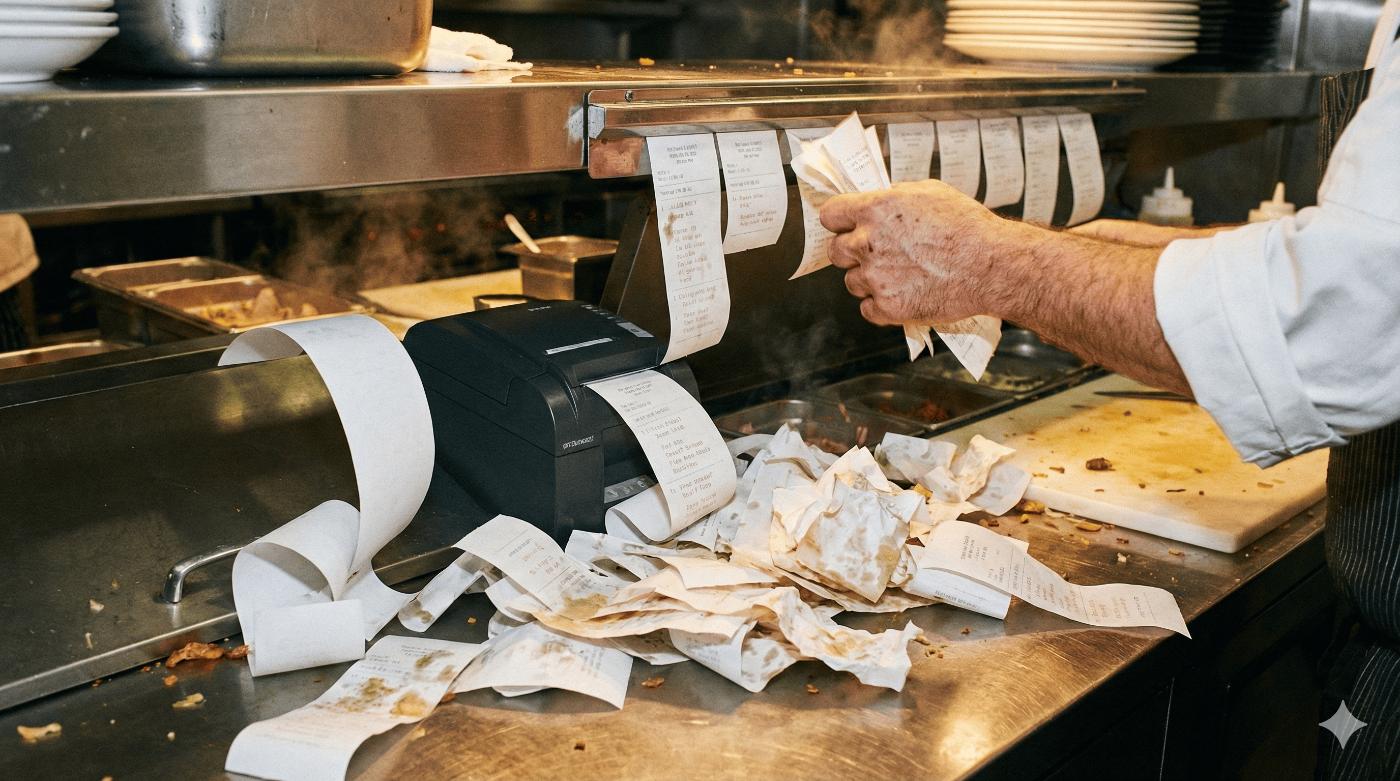
The printer screams.
Tickets pile up on the rail.
Someone shouts, “Where’s that delivery?!”
And somewhere, a customer decides they’re not coming back.
Most restaurants don’t lose guests because of bad food.
They lose them because the flow of orders is chaos — and paper tickets are a big part of the problem.
The Problem with Paper Tickets (in 3 Blunt Points)
1. Tickets get lost — and so do orders
Paper tickets fall, stick together, or get buried.
If it’s not on the rail, it doesn’t exist.
That means:
-
Free meals.
-
Delays.
-
Angry guests and bad reviews.
All because a tiny piece of paper disappeared.
2. Handwriting and noise slow everything down
Messy notes like “no onin / xtra on?” turn into:
-
Wrong dishes.
-
Remakes.
-
Extra stress in the kitchen.
When everyone is shouting and waving tickets, nobody has a clear picture of what’s truly next.
3. Zero visibility, zero data
With paper, you can’t easily answer:
-
How long does an order stay in the kitchen?
-
Which items slow down the line?
-
How long do deliveries take from “ready” to “delivered”?
Those tickets end up in the trash.
You get no history, no metrics, no improvement.
What Changes with a Kitchen Display System (KDS)?
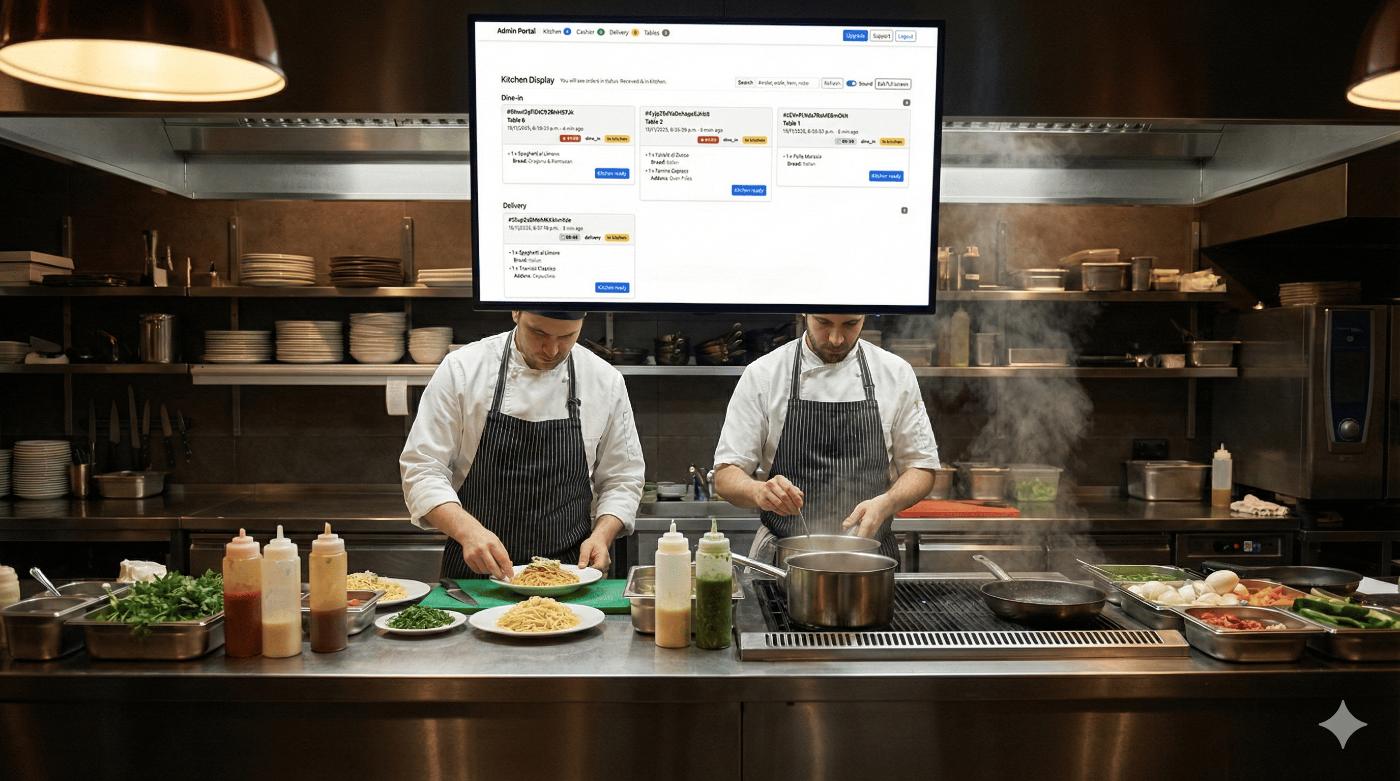
A Kitchen Display System replaces paper with live digital tickets that update in real time.
In a setup like OrderCraft, each order moves through clear statuses:
-
Received
-
In kitchen
-
Kitchen ready
-
Ready to close / Closed
-
Assigned, In route, Delivered (for delivery orders)
Everyone sees the same truth:
-
Kitchen sees what to cook now.
-
Cashier sees what’s ready to close.
-
Delivery sees what’s ready to assign, what’s on the way, and what’s delivered.
No yelling, no guessing, no missing tickets.
A Quick Shift with KDS: How It Feels in Practice
Here’s what a busy service looks like with a KDS instead of paper.
1. Orders arrive clean and readable
Orders come from:
-
A waiter’s device (dine-in).
-
The guest’s phone (QR).
-
Online ordering (pickup or delivery).
Each digital ticket includes:
-
Items and modifiers.
-
Notes like “no onion, extra cheese”.
-
Table or delivery address.
No handwriting to decode. No re-writing anything.
2. Kitchen works from one clear screen
On the Kitchen Display:
-
New orders appear instantly.
-
Oldest orders are easy to spot.
-
Cooks tap to move orders from In kitchen to Kitchen ready.
No one is sorting stacks of paper.
They just cook and update the status.
3. Cashier and Delivery stay in sync
Once the kitchen taps Kitchen ready:
-
The Cashier sees the order as Ready to close.
-
The Delivery board sees it as Ready to assign.
The delivery operator can:
-
Assign a driver (e.g. “John Snow”).
-
Mark it In route.
-
Mark it Delivered, and even trigger an automatic “Order delivered” email.
The guest feels like everything is under control — because it actually is.
“My Team Is Used to Paper…” (And That’s Okay)
You don’t have to flip the switch overnight.
Start simple:
-
Test on a quiet shift
Run paper + KDS together for a couple of services so your team can see both. -
Pick a “KDS champion”
Choose one person (chef, expo, or manager) to help everyone during the transition. -
Celebrate quick wins
Show them:-
“We didn’t lose a single order tonight.”
-
“Deliveries went out 10 minutes faster.”
-
“We didn’t have to scream over the printer.”
-
Once the team feels that calm, nobody misses paper.
The Bottom Line
Paper tickets used to be the only way.
Now they’re quietly:
-
Slowing your kitchen.
-
Hiding your problems.
-
Hurting your guest experience.
A Kitchen Display System connects Kitchen, Cashier, and Delivery into one clear flow — with real data and real visibility.
Great restaurants aren’t just about great food.
They’re about smooth, predictable service your guests can trust.
And that starts with taking the chaos off the rail… and onto a screen that finally works for you.
Do you have a question?
If something is not clear, you can send us your question about this topic.